Appearance
Component Tracking
Components are internal parts of hardware assets — RAM modules, hard drives, SSDs, batteries, and other parts that can be installed into or removed from equipment. Snipe-IT lets you track these separately from the complete hardware items they belong to.
Why Track Components Separately?
Tracking components gives you visibility into:
- Spare parts inventory for repairs and upgrades
- Which components are installed in which assets
- Costs associated with component replacements
- Reorder needs when spare stock runs low
Viewing Components
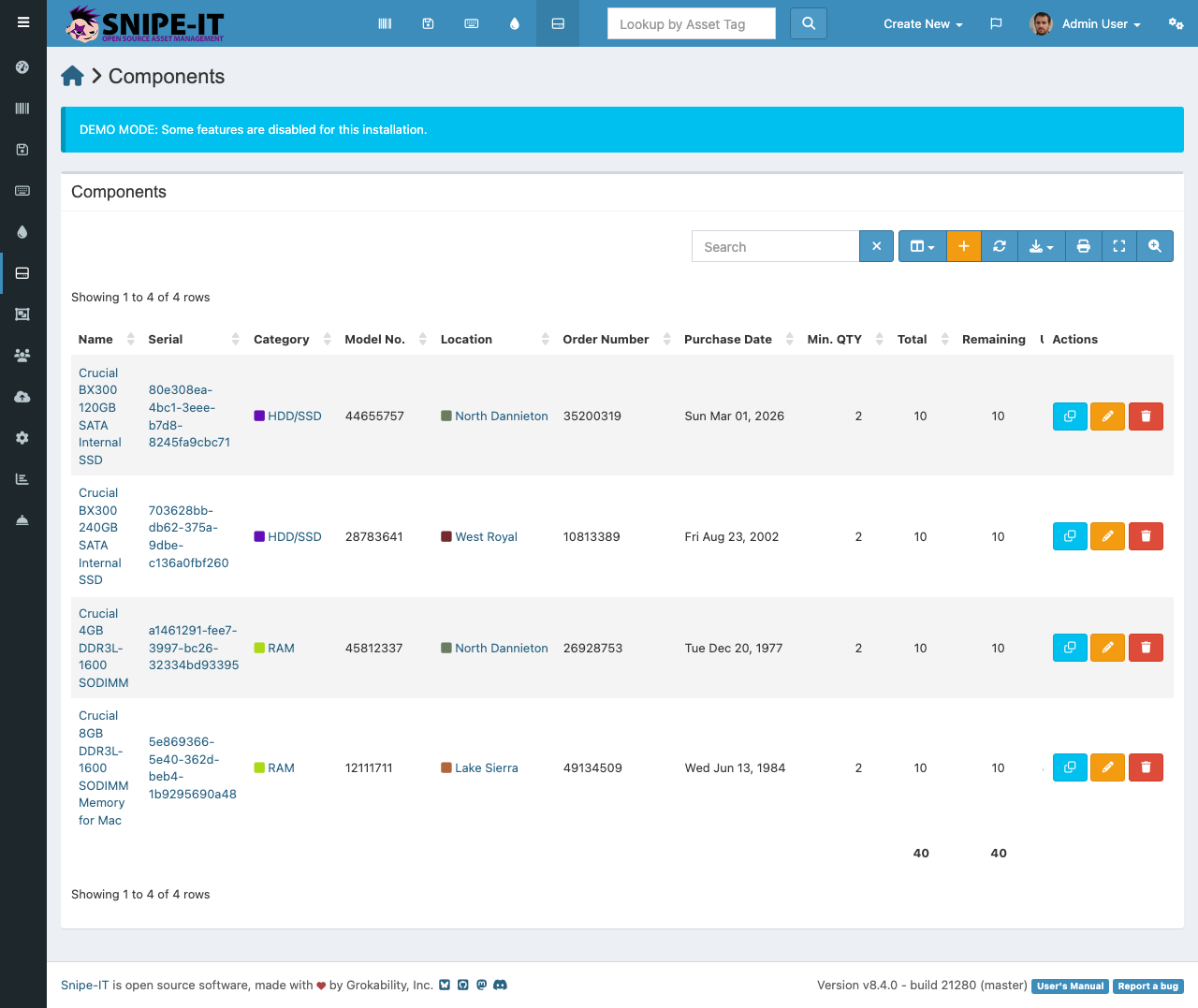
The components list shows:
- Name — Component description (e.g., "16GB DDR4 RAM", "512GB NVMe SSD")
- Category — Type of component
- Quantity — How many are in stock vs. checked out
- Min Quantity — Alert threshold
- Serial Number — If tracked individually
- Location — Storage location
Adding Components
- Click "Create New" [2] and select "Component"
- Enter the component name, category, and quantity
- Optionally set a minimum quantity for reorder alerts
- Click Save
Assigning Components to Assets
To record that a component has been installed in a hardware asset, open the component's detail page and use the "Checkout" option. Select the target hardware asset. This creates a relationship between the component and the asset, visible on both detail pages.
This tracking is valuable when diagnosing hardware issues — you can see exactly which components are installed in a problematic machine.