Appearance
Departments & Organization
The Departments section lets you organize users into departmental groups. This structure supports reporting, asset allocation tracking, and helps you understand which parts of your organization have the most equipment.
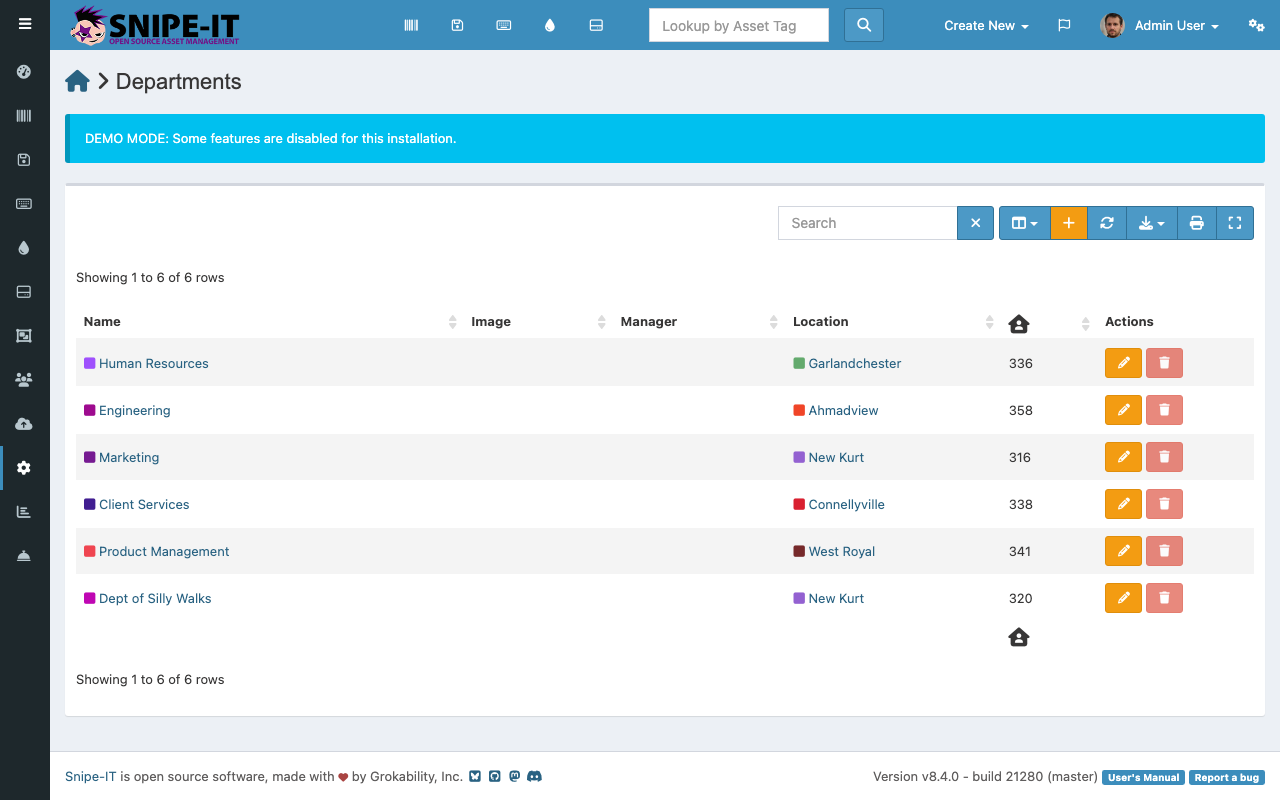
Viewing Departments
The departments page shows each department with:
- Department Name — The department's name
- Users — Number of users assigned to this department
- Location — The department's primary location
- Manager — The department lead or manager
- Company — For multi-company setups, which company the department belongs to
Creating a Department
- Click "Create New" [1] and select "Department"
- Enter the department name
- Optionally assign a manager, location, and company
- Click Save
Assigning Users to Departments
Users are assigned to departments from the user creation or edit form. When editing a user profile, select their department from the dropdown. This automatically associates the user's checked-out assets with that department for reporting purposes.
Department-Based Reporting
Department assignments feed into reports that show:
- Total asset value per department
- Number of assets deployed per department
- License seat allocation by department
- Equipment trends over time
These reports help IT and finance teams plan budgets and track equipment distribution across the organization.